Extension for Safari and Chrome
Capture the web.All of it.
Meet Pleno, the browser extension that enables you to quickly take a screenshot of your webpage — the whole page or just what’s on screen. Mock it up with our feature-rich editor and export it as an image or video. All of this on the privacy of your machine.
Coming soon · Safari 17 on macOS 13 · Chrome 116 on any platform
Get the highlights
Everything it does.In about a minute.
How it works
Multiple screens.One picture.
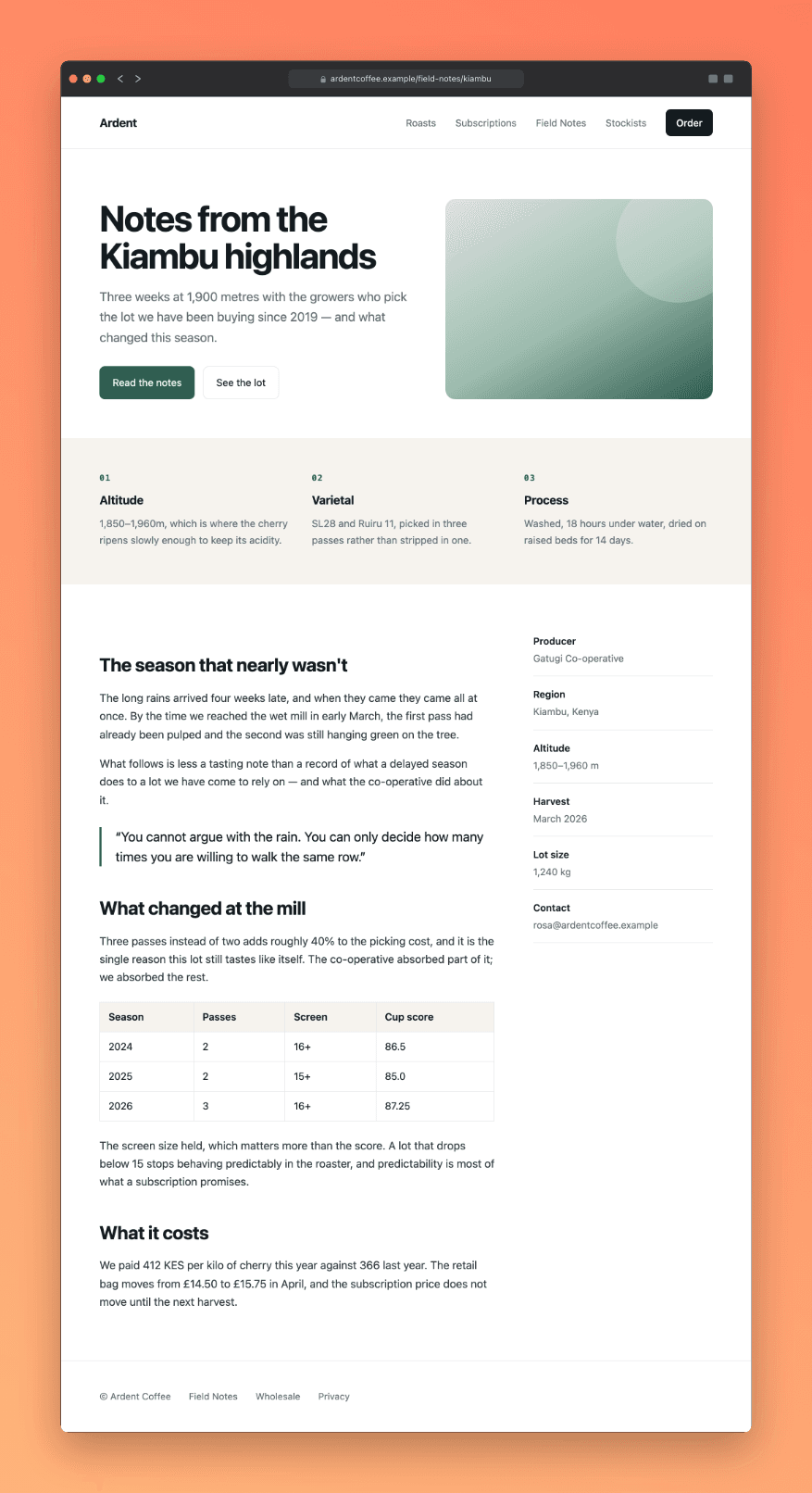
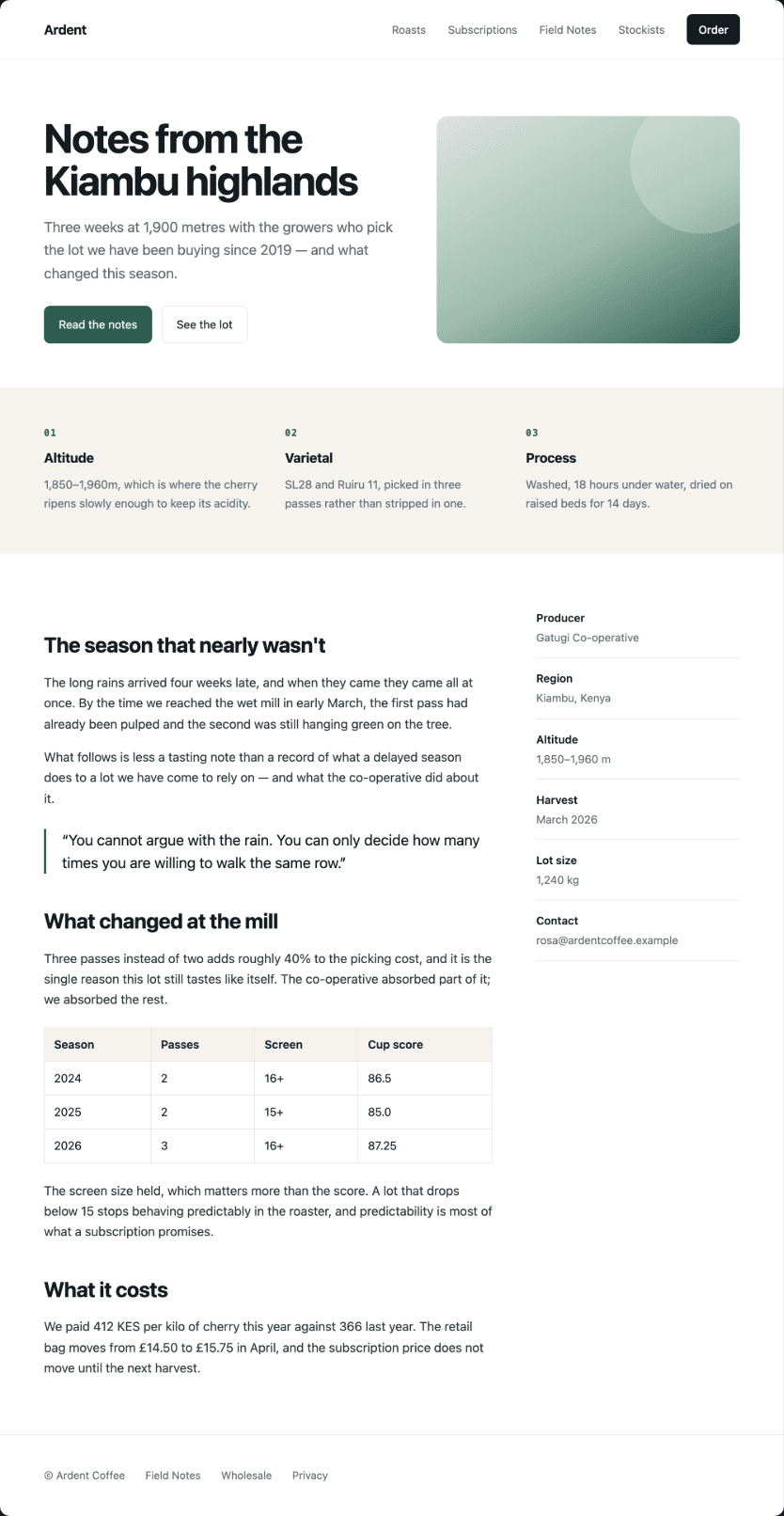
Pleno scrolls the page for you, takes a screenshot of each screen as it goes, and stitches them into one seamless image — sticky headers, pop-ups and lazy-loaded pictures handled along the way. Keep scrolling to watch it happen.
What to capture
The whole page.Or just this bit.
Most of the time you want the lot, but not always. Sometimes it’s one card, one table, or a corner of the page you need to send someone.
The whole thing, top to bottom, however long it runs. This is the one you will reach for most.
The hard part
One header.Not four.
You know how this usually goes. You capture a long page, the sticky header comes along for the ride, and you end up with four copies of it down your screenshot and the chat bubble in tow. Here is that same page taken the usual way, and taken with Pleno.
Everyone else
header × 4 · chat bubble × 4
Pleno
header × 1 · chat bubble × 0
Handled
Pages fight back.We win.
The header is only the loudest one. Plenty of other things on a page will happily spoil a screenshot — here is what happens to each of them, so you never have to think about any of it.
- 01
Chat widgets
Live chat bubbles sit on top of a page rather than in it, so we leave them out. That includes the ones built in ways that make them hard to spot, and the ones that load a moment after everything else.
- 02
Lazy images
Plenty of sites hold their images back until you scroll down to them. We load them all first and give the page a moment to settle, so you don’t end up with blank gaps.
- 03
Reveal animations
Some sites slide their text into place as you scroll past. We note where each word actually sat at the moment we photographed it, so anything you black out later lines up properly.
- 04
Your pointer
Your cursor never shows up in a screenshot, but whatever it happens to be resting on can light up and end up in the picture. We move the page out of its reach for a moment so that doesn’t happen.
- 05
Afterwards
When we’re done we put the page back exactly as we found it, right down to where you were scrolled to. That holds even if something goes wrong along the way.
The editor
Not a download.A studio.
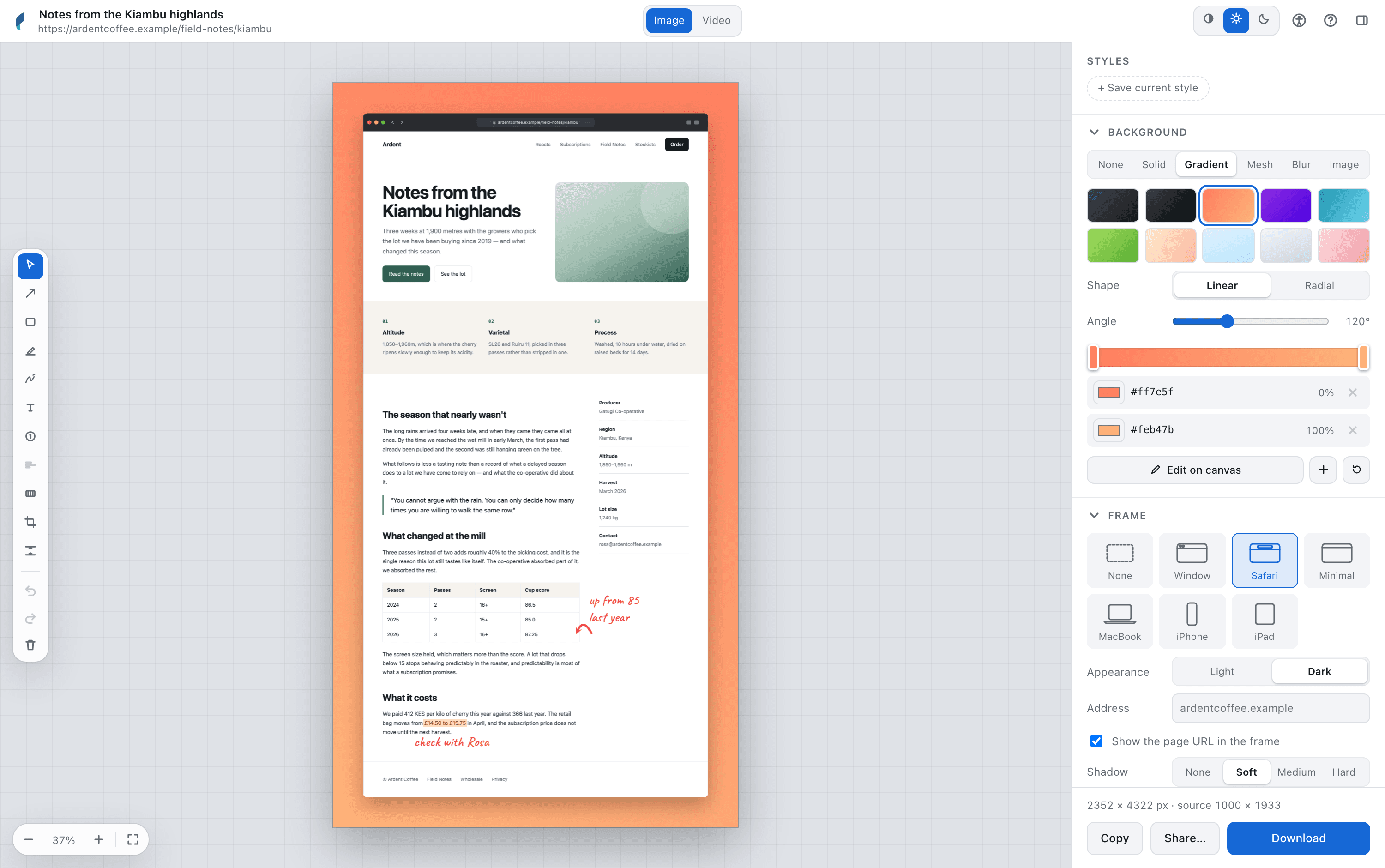
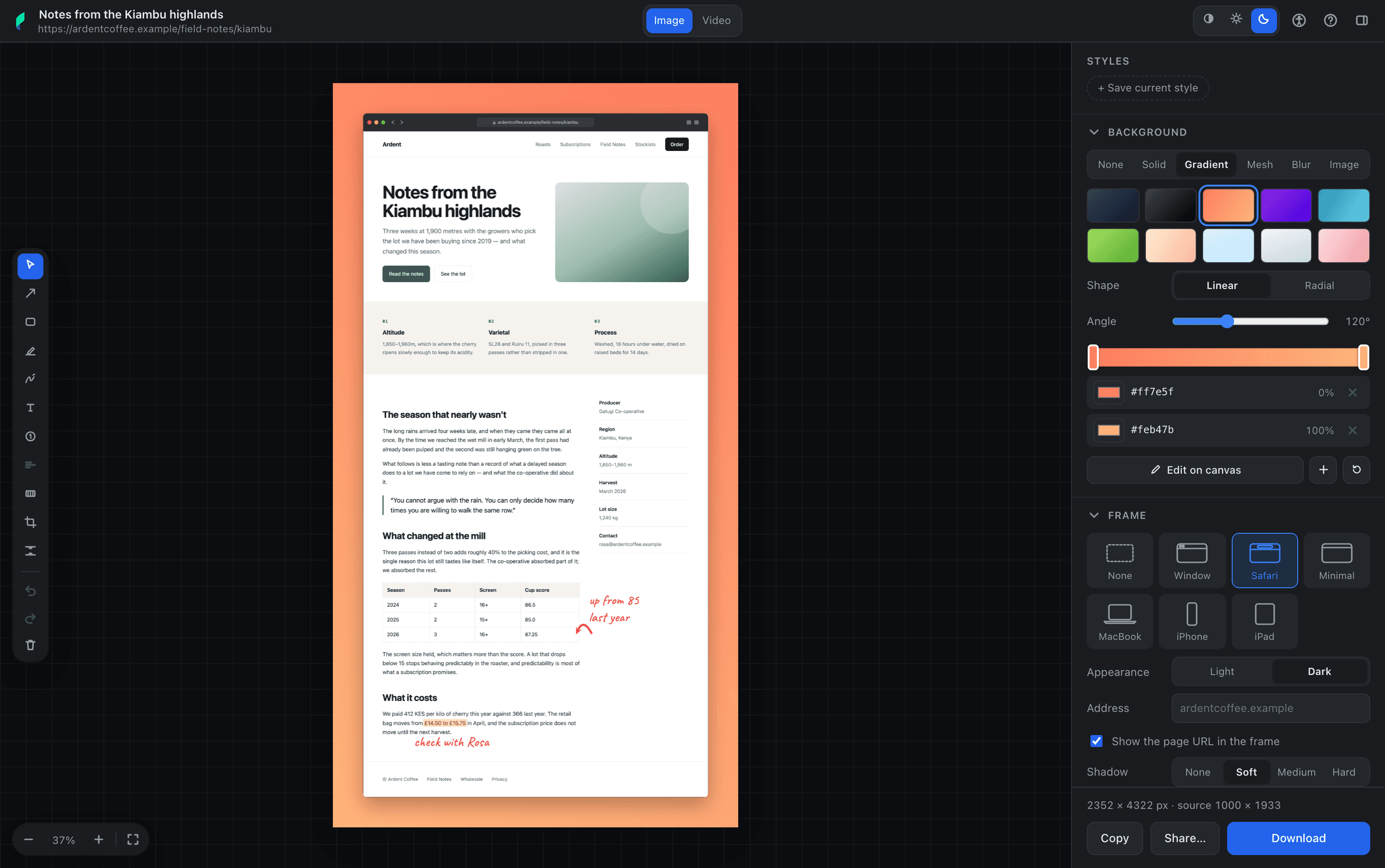
Your capture opens in an editor rather than dropping straight into Downloads. Add a background, sit it in a window frame, give it some room to breathe, mark it up. Everything updates as you go, so what you see is what you’ll get.
Pick one to find it in the window.
Markup
Redacted meansredacted.
Drag across anything you’d rather not share and each word gets its own bar, sized to fit that word. What was underneath is properly gone from the file you export, not just hidden behind a rectangle.
The pen works the same way. Bend an arrow onto the thing you’re talking about, write a note in your own handwriting, highlight the line that matters. For what a bar won’t cover — a face, a chart, a whole panel — drag a mosaic over it instead: a blur reads as “soft”, a mosaic reads as “removed”. And if you change your mind, ⌘Z takes it back.
Invoice for was settled on , charged to the card ending . Questions to .
Scroll back up to see what was underneath.
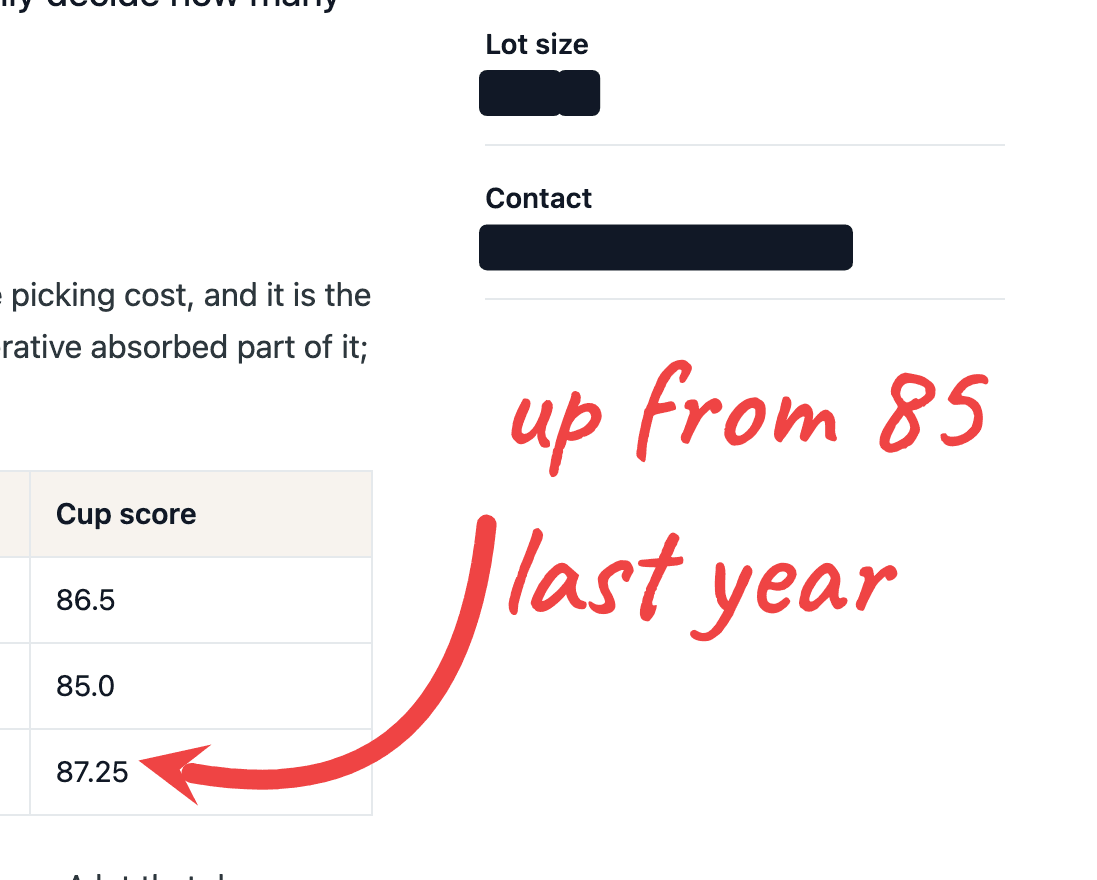
A corner of a real export, at full size.
Formats
One capture.Any format you need.
Image
PNG · JPEG · WebP
Save it at normal, double or triple size, cropped to whatever shape you need. Or just copy it to your clipboard. WebP needs a browser that can encode it, which Safari can't yet — the option greys itself out there rather than quietly handing you a PNG.
Document
Keep it as one long page, or have it split neatly across Letter or A4 sheets.
Motion
GIF · MP4
Turn the capture into a video that scrolls down the page. You choose how long it takes and where it pauses.
Archive
HTML · Markdown
Keep the whole page as a single file you can open later, or just the words. Markdown opens formatted, so you can check it came out right.
Privacy
Your screenshotsstay on your machine.
There’s no account to set up, and nothing you capture ever leaves your machine.
We thought about this one a lot. People screenshot invoices, dashboards, things they’re signed in to — it’s the whole reason we built the black bars in the first place. So there’s no analytics, no crash reporting, nothing quietly checking in. If anyone ever asked us for your screenshots, we wouldn’t have any to give them.
One exception, stated plainly because a policy that hides its exception is worth nothing: when you paste a licence key, Pleno tells us the licence it belongs to, a random name the browser made up for itself, and which browser it is. That is how a licence knows how many places it has been put. It happens when you unlock it, and after that once a day at most, when the editor opens — so that an activation you free from your licence page actually comes back. It never blocks you: with no answer it carries on working for a fortnight, which is rather longer than most holidays.
Pricing
Buy it once.Keep it.
Pay once and it’s yours. There’s no subscription and no renewal to miss — the licence is yours to keep, and yours to move between browsers whenever you like. Updates are included.
Personal
$1999
3 activations — your laptop, your desktop, both browsers
Direct download
Also on the Mac App StoreTeam
$2999
9 activations — about three people, with room to spare
Direct download
Agency
$7999
30 activations, one invoice
Direct download
In Chrome
Install from the Chrome Web Store, then paste your key in Options. Needs Chrome 116 or later, on any platform.
In Safari
Download the Mac app and paste your key — that download is also the free version, and the only one for Safari. Or buy it on the Mac App Store, where it arrives unlocked and there is no key to paste. Needs macOS 13 or later, Safari 17 or later.
One key, both browsers. No account: the key is checked on your own machine, and all we are ever told is that one of its activations is now this browser. There is a free version in both browsers too — every capture mode, backgrounds and frames, and PNG or JPEG out — no time limit and no watermark — and the editor above it is what the key unlocks. Prices are provisional until the listings are live.
Questions
Things people ask.
So where does the extension actually live?
Inside a small Mac app. That's just how extensions for Safari work. You install the app, open it once, and it'll point you to the switch in Safari's settings that turns it on. It takes about ten seconds, and you won't need to open the app again after that.
Does it work on pages I'm logged in to?
Yes. It captures whatever your browser is already showing you, signed in as you are, so your dashboards and account pages work just like anything else. It's also a good part of why we keep everything on your machine.
What about apps that scroll inside a panel?
Some web apps scroll inside a panel rather than the window itself, and a true full-page shot isn't possible on those. When we notice one, we'll say so and capture what's on screen instead, so you're never left wondering why the result looks odd.
Are the black bars real, or just rectangles on top?
They're real. The bars and the mosaic are baked into the file you export, so there's no layer to switch off and nothing hiding underneath. We place them using the positions the page gives us for its own words, which is why they sit on the word rather than roughly over it.
What if I reload the editor by accident?
You're fine. Your capture and everything you've drawn on it come straight back. We keep the last three captures on your machine, so a reload, a restart or an update won't cost you the work.
Does it work in Chrome?
It does. Install it free from the Chrome Web Store and you get the capture side in full — every mode, no time limit, no watermark — plus backgrounds and frames, saving as PNG or JPEG. A licence key unlocks the rest of the editor, and the same key works in Safari.
Anything we haven’t covered, just ask — hello@addsaltandco.com.